Feature update: Disconnected Formations
Published: February 8, 2026
I'm always looking for and working on ways to make Play Designer Pro the best tool for offensive coaches.
The latest update gives coaches a little more freedom when it comes to play drawing.
Until now, plays have needed to use a saved formation that is created separately from the play.
Formation templates are great for ensuring that you maintain consistency as your playbook scales up in size, and helps to avoid any confusion if a player is accidentally lined up in a slightly different position.
However, there are times when you may want to make adjustments to the formation for a particular play, or use a completely different formation that you don't reuse on other plays and therefore don't need a reusable template of that formation.
That's where Disconnected Formations help out.
To disconnect a formation, open the formations dropdown whilst drawing a play, scroll down to the bottom and click the "Disconnect Formation" button at the end of the list.
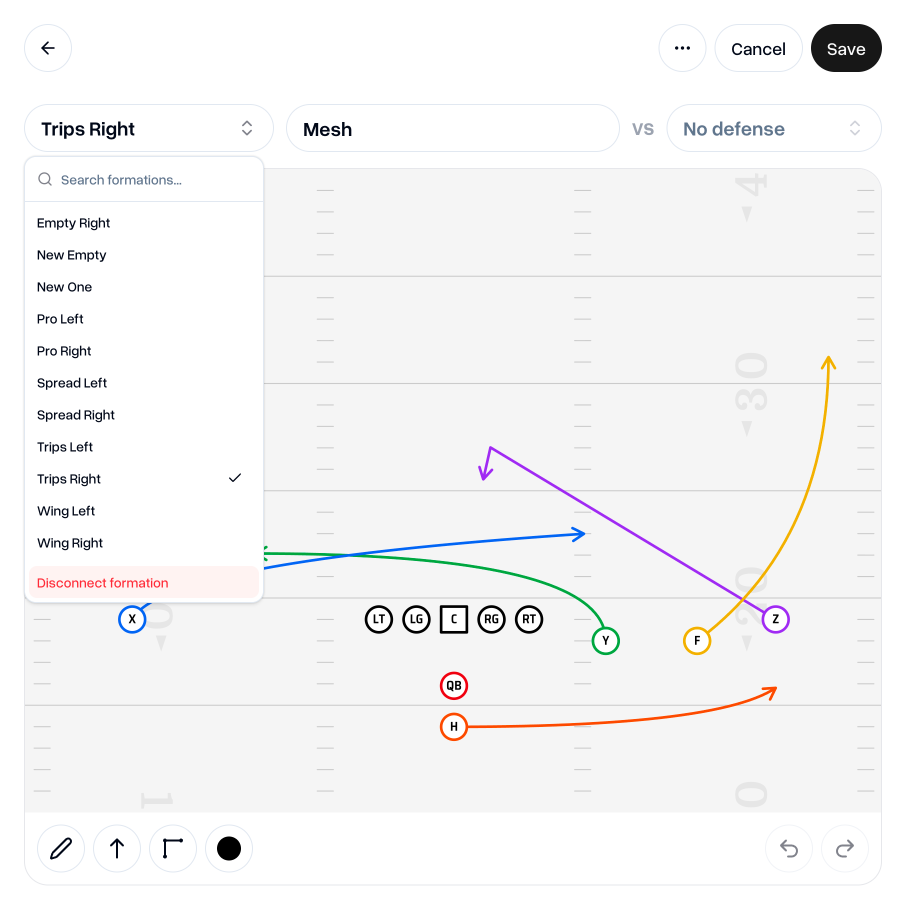
This will allow you to move the players around wherever you need them for that particular play, without having to create a new saved formation.
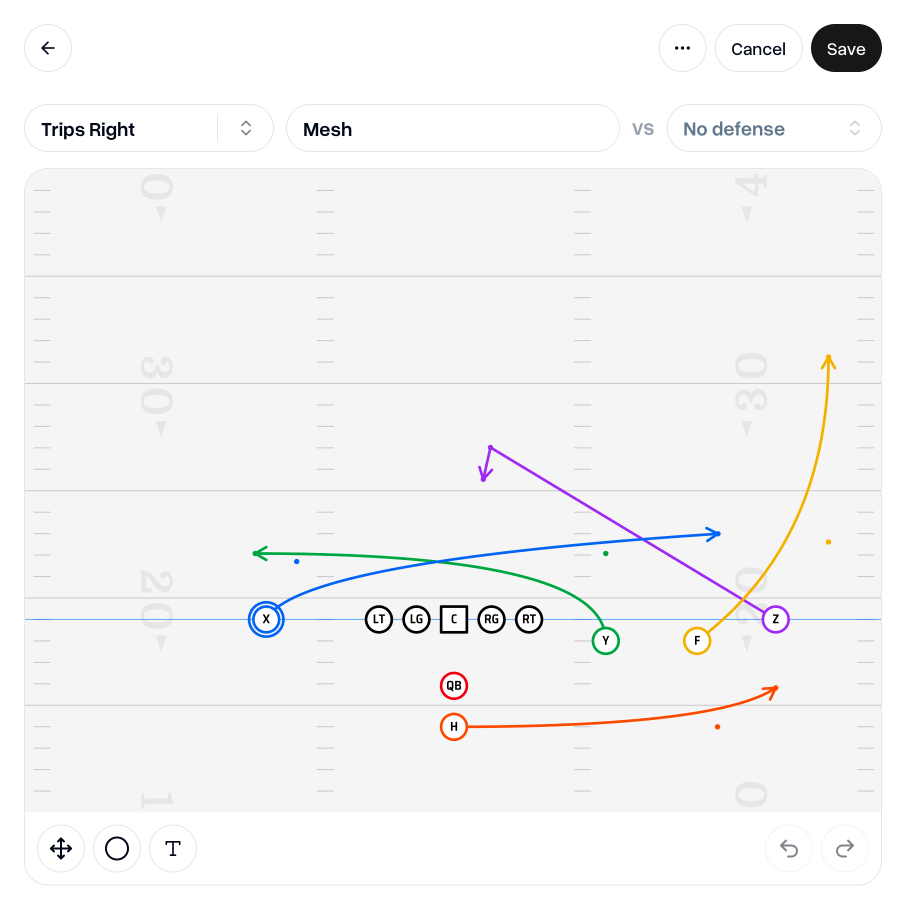
The formation will be saved as part of the play and won't be connected to a formation template.
This does mean that, if you had a formation selected before you disconnected it for this play, it will not receive updates from the original should you update that original formation.
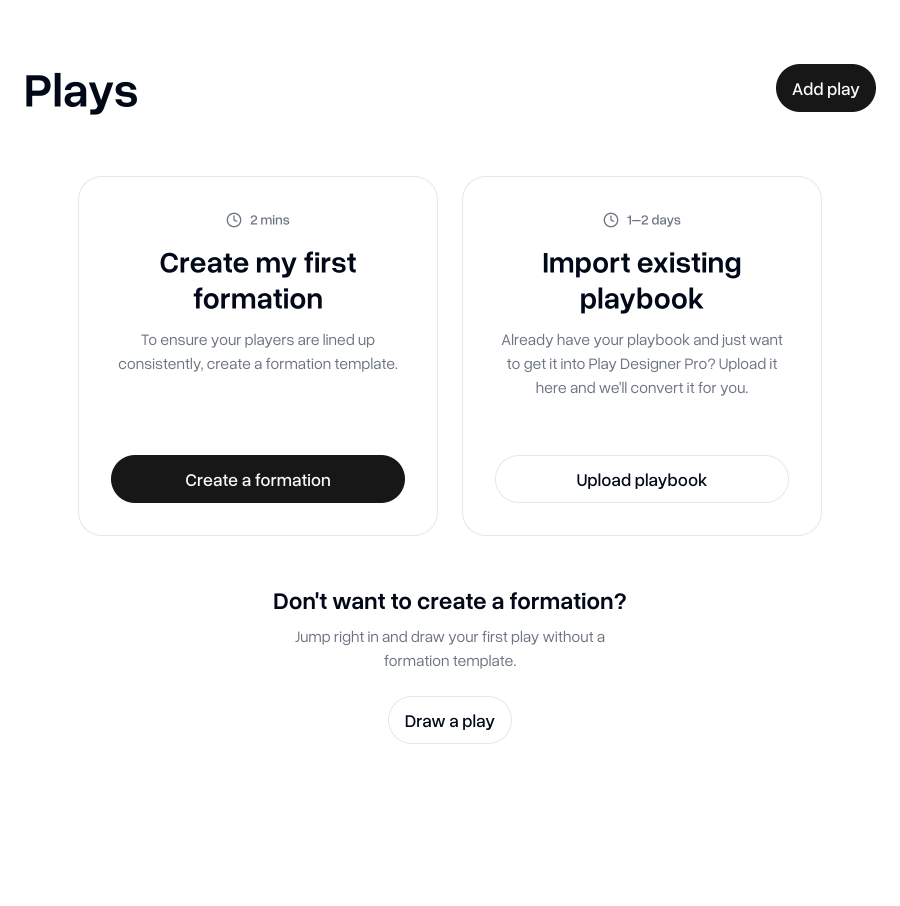
This change also allows new teams to jump right in and create plays without the need to create a formation first—great for some flag teams where formations are tied into the plays.
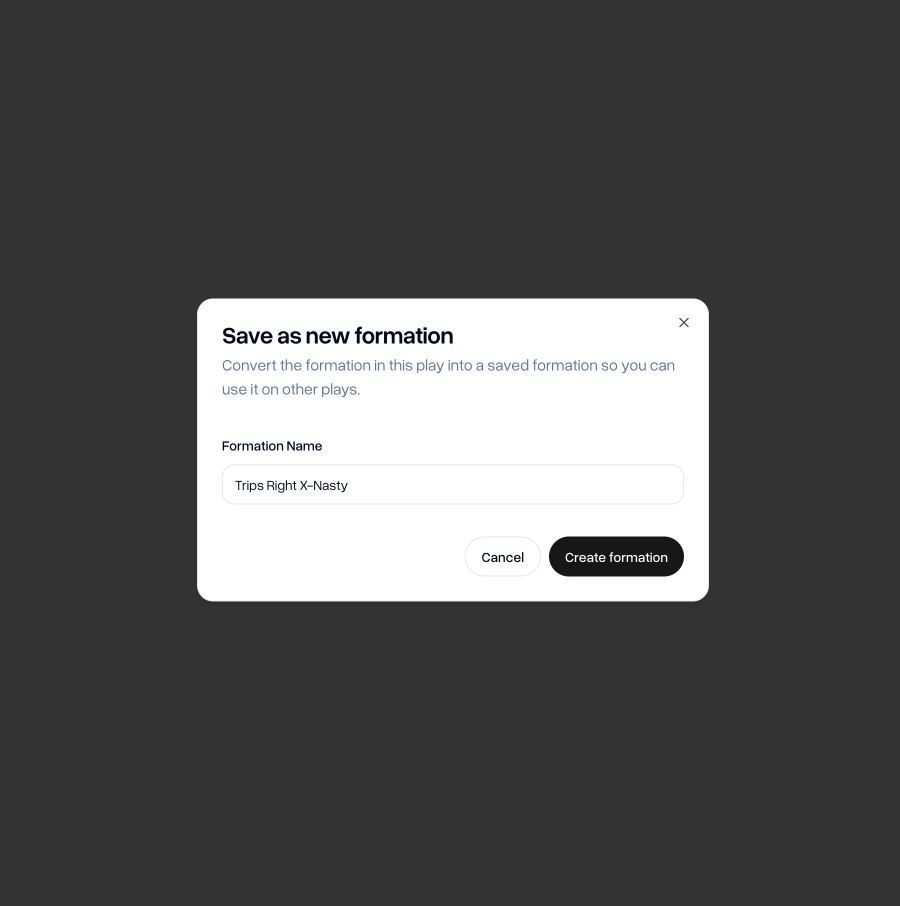
If you decide later on that you'd like to use the same formation in other plays, you can convert the disconnected formation into a saved formation, which is then usable in plays like any other formation.
I hope this update will be great for when you want to make small adjustments to a formation for a particular play and for flag teams that may not need to be as strict when it comes to formation consistency.
Go to my teamAs always, if you have any feedback, questions or ideas for improvements, don't hesitate to reach out at aaron@playdesignerpro.com or via the live chat on the site.
— Aaron, Founder of Play Designer Pro